Appearance
Form Builder
Form Builder is a powerful form module that allows you to quickly and easily build various types of forms with full control over their functionality. Whether it's a complex quote or appointment form, or a simple contact form, FormBuilder lets you accomplish everything without writing any code. With just a few clicks, you can have a fully functional form.
You can view the complete documentation for this module at: https://doc.dnngo.com/formbuilder/
Installing the Module
- Log in to the site as a superuser
- Go to Settings > Extensions, and install the module package
DNNGo_FormBuilder_x.x.x_Install.zip - Create a page named Form Builder Admin and set its access permissions to be visible only to administrators
- Add the DNNGo FormBuilder module to the Content Pane of that page
Importing Preset Forms
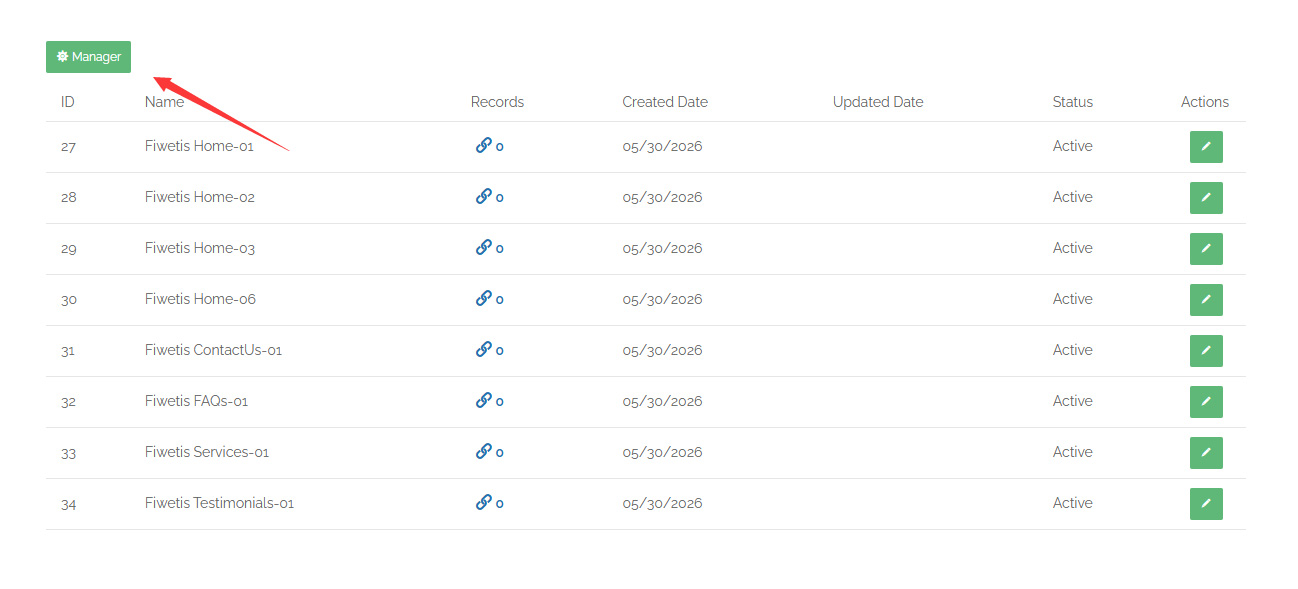
- On the Form Builder Admin page, click the Manager button
- Click the Import button
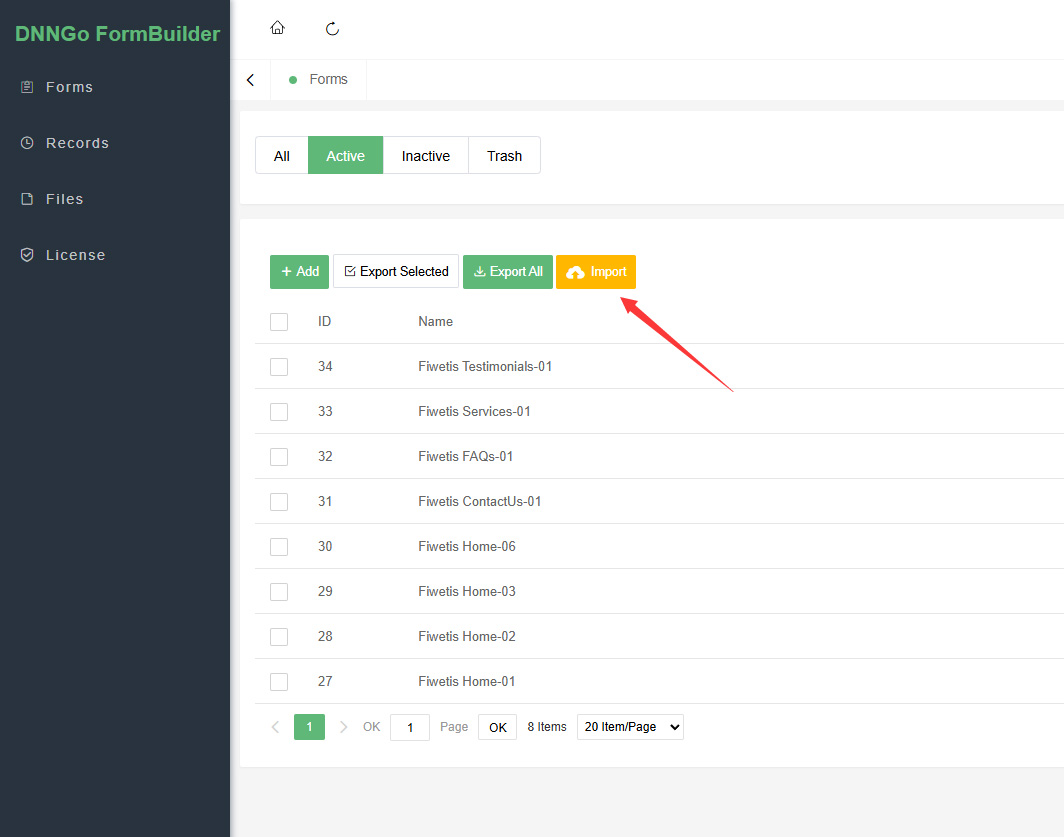
- Locate the
Fiwetis Form Builder.jsonfile in theDNNGo_FormBuilderfolder and upload it
Preset Forms
The Fiwetis theme provides the following preset form configurations:
| Form Name | Purpose | Fields |
|---|---|---|
| Fiwetis Home-01 | Email subscription | |
| Fiwetis Home-02 | Appointment form | Name / Email / Phone / Location / Date / Service |
| Fiwetis Home-03 | Simple subscription | Email + Submit button |
| Fiwetis Home-06 | Contact form | Name / Email / Subject / Message |
| Fiwetis ContactUs-01 | Full contact form | First Name / Last Name / Phone / Email / Subject / Message |
| Fiwetis FAQs-01 | Inquiry form | Name / Email / Phone / Subject / Message |
Adding a Form to the Content Builder Module
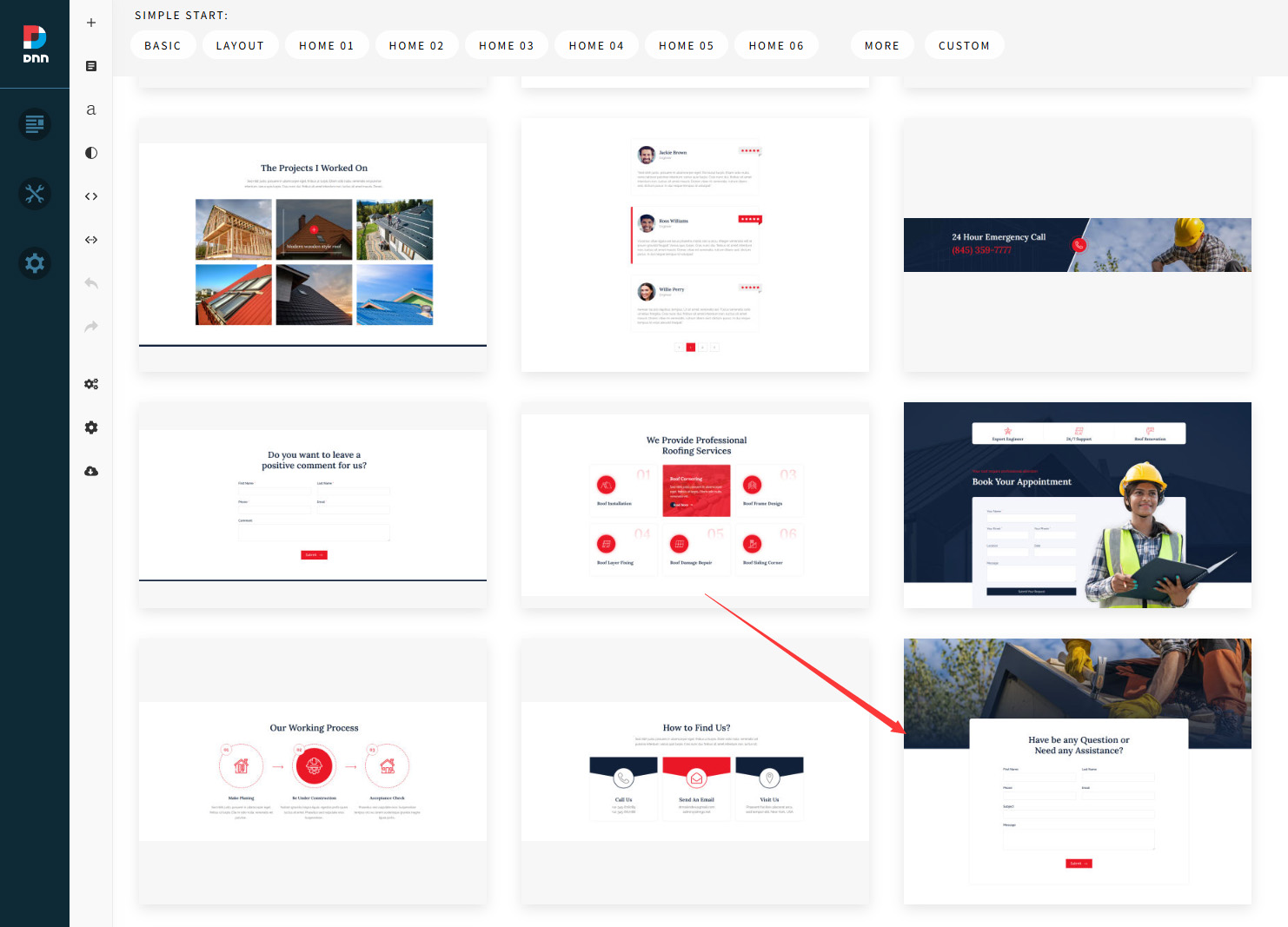
- Use the Content Builder module to add a section containing a form on the page, as shown below:
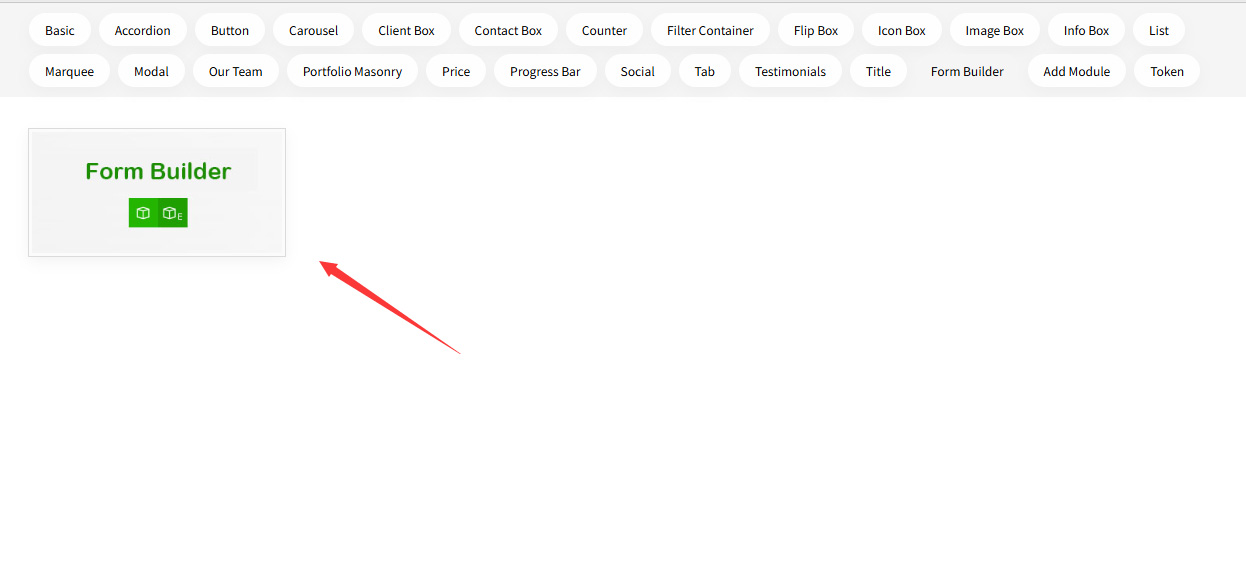
Or add a Form Builder content block on the page, as shown below:
- After setup, the form will not display immediately. You also need to set a data source for the form (as shown below):

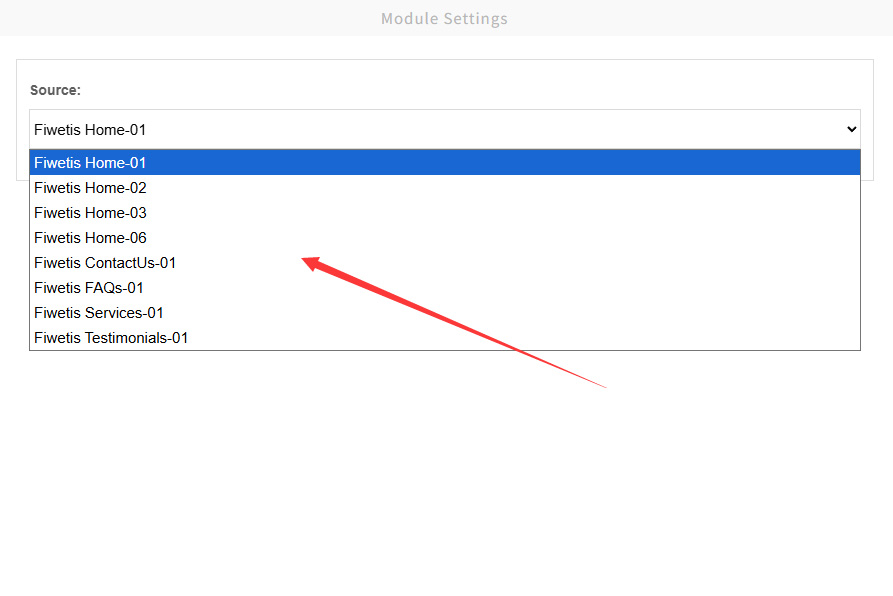
- All forms on the site will be listed in the Source dropdown:
- Select a form and save. The form will be displayed after refreshing the page.