Appearance
Theme Plugin Pro
The Theme Plugin Pro module is a core component of the theme. You can use this module to create page layouts, change theme colors and text styles, set up Mega Menu, and more.
Shortcut Icons
After correctly applying the theme, you will see 3 icons on the right side of the page.
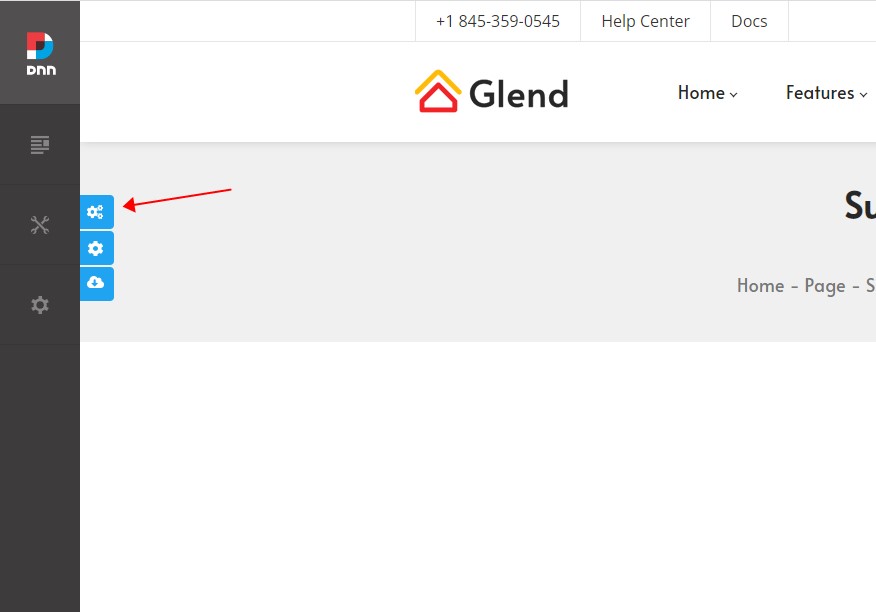
Theme Options
Click the Theme Options icon to open the global theme settings page, where you can configure styles such as text color, size, and fonts.
Page Options
Click the Page Options icon to open the settings page for the current page, where you can customize it. Each page in the site can use different custom settings.
Import Page Template
Click the Import Page Template icon to open a window where you can select a page template to import. After the import is complete, the page content will be identical to the theme demo page.
Pages
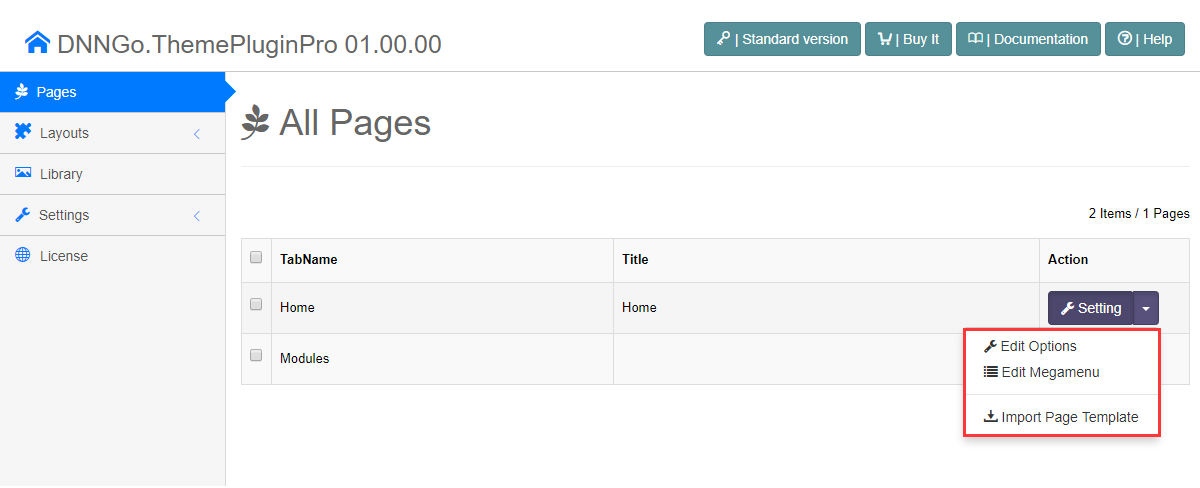
In the Theme Plugin Pro settings page, all pages of the current site are listed. You can customize each page individually, import page templates, and set up a Mega Menu for top-level pages.
Layout
In traditional themes, layouts are hard-coded in ASCX files, making it difficult for non-technical users to customize them. However, in this theme, administrators can easily set page layouts by dragging and dropping without any programming knowledge. See Layout for details.